VIAVI InterferenceAdvisor IA811 Automated Spectrum Clearing and Interference Hunting Solution
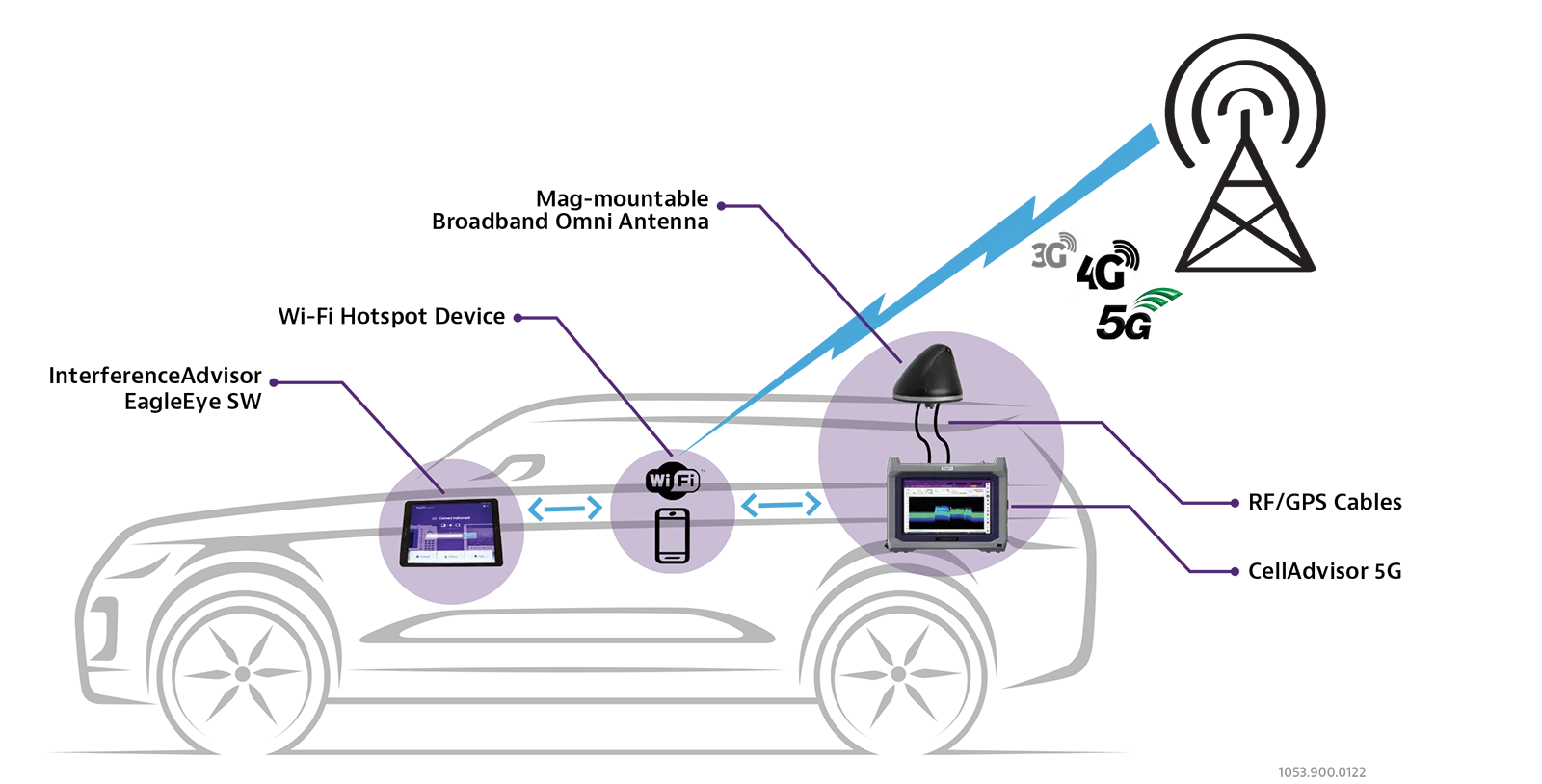
Automated spectrum clearing and interference hunting system that guides an RF engineer to an interference source using a tablet-based map application.
- Connection
- Wi-Fi, USB, and Ethernet
- Tablet operating system
- Android
- Language
- English, Chinese
- Tracking modes
- RSSI, Channel Power and Peak Power
Overview
Interference in a mobile network affects users near the interference source. They see lower call success rates, more dropped calls, shorter battery life, poor voice quality and reduced data throughput. Detecting, locating and removing sources of RF interference is needed to keep service quality up across the network.
VIAVI InterferenceAdvisor is an automated spectrum clearing and interference hunting solution. A single RF engineer can use it to check that spectrum is clear and to find an interference source. The EagleEye software runs on an Android tablet and gives visual and voice prompts that guide the engineer to the estimated location of the interference. Following these steps can shorten troubleshooting from days to hours.
System and connectivity
The system pairs a compatible VIAVI analyzer (CellAdvisor, CellAdvisor 5G or OneAdvisor 800) with a cable-free Android tablet over Wi-Fi. A magnet-mount broadband omni antenna with an integrated GPS antenna reduces cabling. Interference can be tracked in three modes: RSSI, Channel Power and Peak Power. A spectrum display shows changes in the interfering signal's strength and location, and gated sweep control supports TDD interference hunting.
Software and maps
EagleEye is offered as Interference Hunting and Spectrum Clearing licenses. It supports online maps (Google Maps, OpenStreetMap) and offline maps (OpenStreetMap). It also generates reports, saves trace data and screenshots automatically, and locks the touch screen while driving.
Key Features
- Automated visualization of unwanted signal presence with pass/fail indication
- Automated interference area indication and navigation guide
- Voice prompt guides the driver to the estimated interference location
- Built-in accessories minimize cabling requirements
- Cable-free Android tablet with WiFi connection
- Spectrum control display for detailed signal monitoring
- Gated sweep control and display for TDD interference hunting
- Interface with TDD Auto Gated Spectrum (TAGS) for TDD interference hunting
- Three tracking modes: RSSI, Channel Power and Peak Power
- Integrated antenna solution with GPS antenna
- Online and offline map support
- Report generation including all necessary information
- Auto save of trace data and screenshots
- Touch screen lock when driving
- User settings save and load
Specifications
| Connection | Wi-Fi, USB, and Ethernet |
|---|---|
| Tablet operating system | Android |
| Language | English, Chinese |
| Tracking modes | RSSI, Channel Power and Peak Power |
| Online map | Google Maps, OpenStreetMap |
|---|---|
| Offline map | OpenStreetMap |
|
Frequency
G700050358
|
694 to 6000 MHz
Cable 1: 694 to 3700 MHz
|
|---|---|
|
Frequency
G700050345
|
600 to 6000 MHz
Cable 1: 617 to 960/1700 to 6000 MHz; Cable 2: 2400/4900 to 6000 MHz
|
|
Peak gain
G700050358
|
Cable 1: 3 dBi, 694 to 960 MHz; 4 dBi, 1710 to 3700 MHz |
|
Peak gain
G700050345
|
Cable 1: 3 dBi, 617 to 960/1700 to 6000 MHz; Cable 2: 5 dBi, 2400/4900 to 6000 MHz |
|
GPS unit gain
G700050358
|
26 dB, 5 dBi antenna |
| VSWR | 2.0:1 |
| Maximum power | 10 Watts |
|
Cable and connector
G700050358
|
RF: RF-195 Type-N Male; GPS: RG-174 SMA Plug Male |
|
Cable and connector
G700050345
|
RF: LL-195 Type-N Male |
|
Shock and vibration
G700050358
|
IEEE1478, EN61373, TIA329.2-C |
|
Dust/water ingress
G700050358
|
IP67 |
|
Dust/water ingress
G700050345
|
IPX5 |
|
Operating temperature
G700050358
|
-40 to +80°C (-40 to +176°F) |
|
Operating temperature
G700050345
|
-40 to +85°C (-40 to +185°F) |
| JD745B, JD746B, JD748B | Interference Analyzer Option 011, Wi-Fi Connectivity Option 016, GPS Connectivity Option 010 |
|---|---|
| JD785A, JD786A, JD788A | Interference Analyzer Option 011, Wi-Fi Connectivity Option 016, GPS Connectivity Option 010 |
| JD785B, JD786B, JD788B | Interference Analyzer Option 011, Wi-Fi Connectivity Option 016, GPS Connectivity Option 010 |
| CellAdvisor 5G | Interference Analyzer CA5000-S013, Wi-Fi Connectivity CA5000-S004, Gated Sweep CA5000-S015, TDD Auto Gated Spectrum CA5000-S021, GNSS Connectivity CA5000-S002 |
| OneAdvisor 800 | Interference Analysis ONA-SP-INTAN, Wi-Fi Connectivity ONA-MF-WIFI, Gated Sweep Spectrum ONA-SP-GSS, TDD Auto Gated Spectrum ONA-SP-TAGS, GNSS Connectivity ONA-SP-GNSS |
Specifications are taken from the manufacturer's documentation. See the datasheet for complete and current values.
Applications
- Spectrum clearing
- Interference hunting
- Cellular network RF interference troubleshooting
- TDD interference hunting
- Drive testing for interference location
Included
- Tablet, Samsung Galaxy Tab S7 FE (one-year manufacturer's warranty)
- Car mounting kit
- USB C to USB A OTG adapter cable
- USB A to USB C cable
- Standard USB A to USB B cable
- Soft carrying case for InterferenceAdvisor system
Options & Accessories
| Option | Description |
|---|---|
| IA811-001 | EagleEye Interference Hunting — EagleEye software license |
| IA811-002 | EagleEye Spectrum Clearing — EagleEye software license |
| G700050358 | Magnet Mount Broadband Omni Antenna, 694 to 6000 MHz — With GPS unit, RF-195 Type-N male RF cable and RG-174 SMA plug male GPS cable, IP67 |
| G700050345 | Magnet Mount Broadband Omni Antenna, 600 to 6000 MHz — Two RF cables, LL-195 Type-N male, IPX5 |
| JD70050007 | AntennaAdvisor Handle — Requires interference analysis option 011 on CellAdvisor, S013 on CellAdvisor 5G, or ONA-SP-INTAN on OneAdvisor 800 |
| G700050366 | Broadband Log Periodic Antenna, 650 to 4000 MHz — Printed as G70050366 in the InterferenceAdvisor data sheet; G700050366 in the antenna and AntennaAdvisor data sheets |
| G700050367 | Broadband Log Periodic Antenna, 650 to 6000 MHz — Printed as G70050367 in the InterferenceAdvisor data sheet; G700050367 in the antenna and AntennaAdvisor data sheets |
| JDMapCreator | Free PC application software for radar chart — ver. 1.2.01 or higher |
| G700050601 | Bandpass Filter, 696 MHz to 716 MHz, N(m) to N(f), 50 ohm |
| G700050602 | Bandpass Filter, 776 MHz to 788 MHz, N(m) to N(f), 50 ohm |
| G700050603 | Bandpass Filter, 806 MHz to 849 MHz, N(m) to N(f), 50 ohm |
| G700050604 | Bandpass Filter, 1710 MHz to 1755 MHz, N(m) to N(f), 50 ohm |
| G700050605 | Bandpass Filter, 1850 MHz to 1910 MHz, N(m) to N(f), 50 ohm |
| G700050606 | Bandpass Filter, 703 MHz to 748 MHz, N(m) to N(f), 50 ohm |
| G700050607 | Bandpass Filter, 832 MHz to 862 MHz, N(m) to N(f), 50 ohm |
| G700050608 | Bandpass Filter, 880 MHz to 915 MHz, N(m) to N(f), 50 ohm |
| G700050609 | Bandpass Filter, 1710 MHz to 1785 MHz, N(m) to N(f), 50 ohm |
| G700050610 | Bandpass Filter, 1920 MHz to 1980 MHz, N(m) to N(f), 50 ohm |
| G700050611 | Bandpass Filter, 2500 MHz to 2570 MHz, N(m) to N(f), 50 ohm |
| G700050612 | Bandpass Filter, 663 MHz to 698 MHz, N(m) to N(f), 50 ohm |
| G700050613 | Bandpass Filter, 3300 MHz to 3800 MHz, N(m) to N(f), 50 ohm |
| G700050614 | Bandpass Filter, 788 MHz to 798 MHz, N(m) to N(f), 50 ohm |
| G700050615 | Bandpass Filter, 2305 MHz to 2315 MHz, N(m) to N(f), 50 ohm |
| G700050616 | Bandpass Filter, 3300 MHz to 4200 MHz, N(m) to N(f), 50 ohm |
Documents & Resources
Related Products
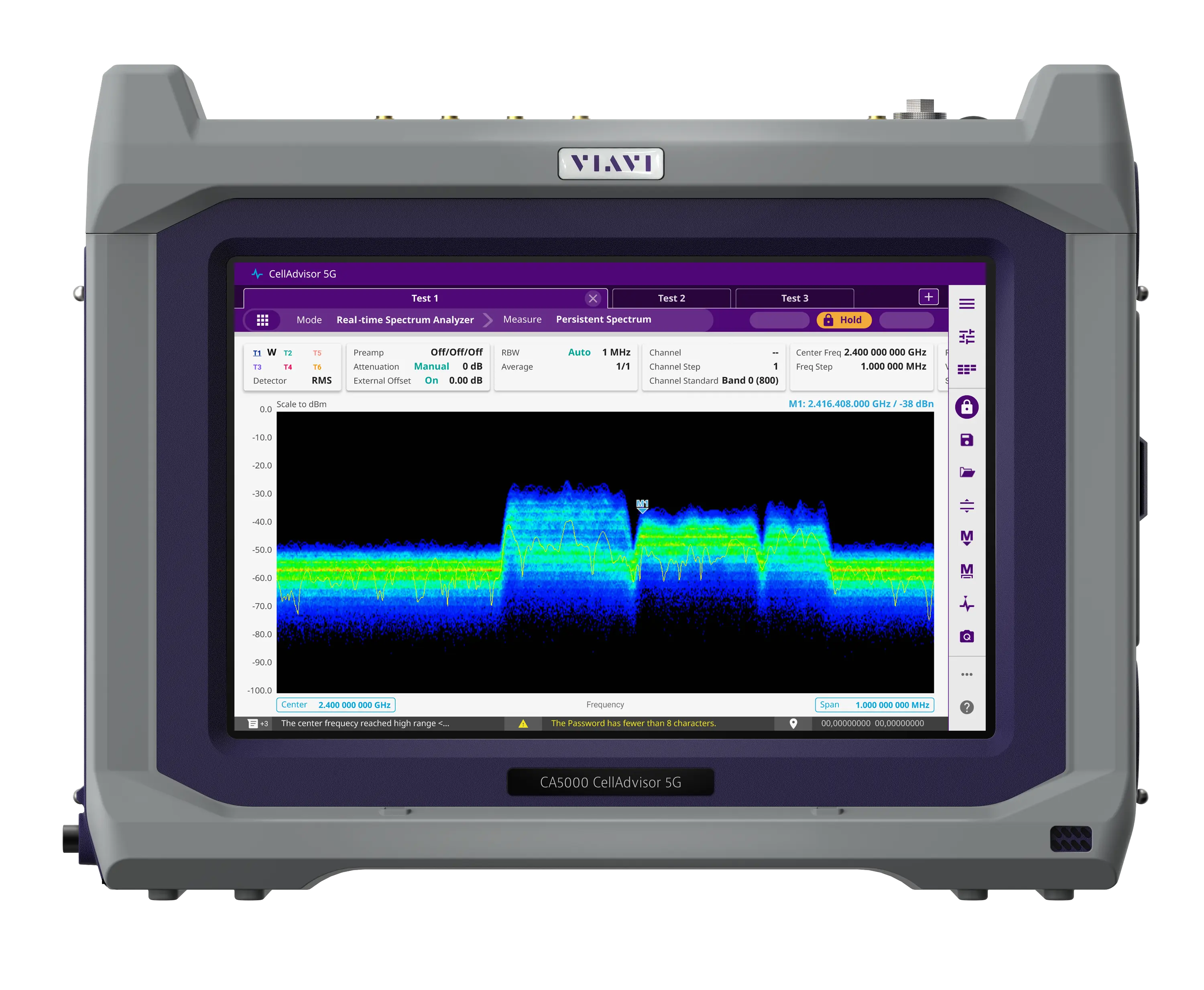
Field-portable base station analyzer with real-time spectrum analysis and 5G NR beam analysis, covering 9 kHz up to 44 GHz depending on frequency option.
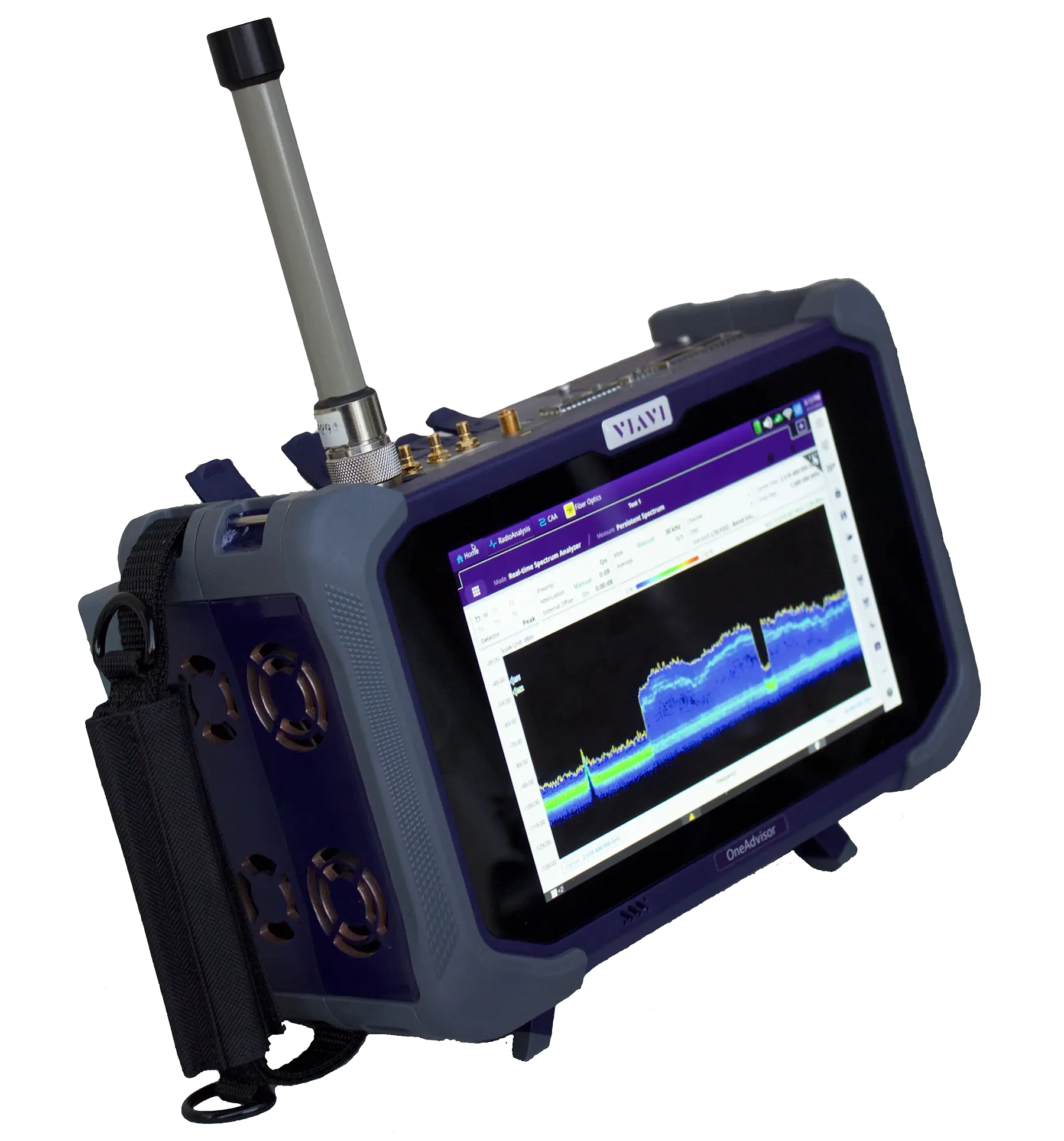
Modular field test platform combining RF spectrum and signal analysis, cable and antenna, fiber and Ethernet transport testing in one portable unit.