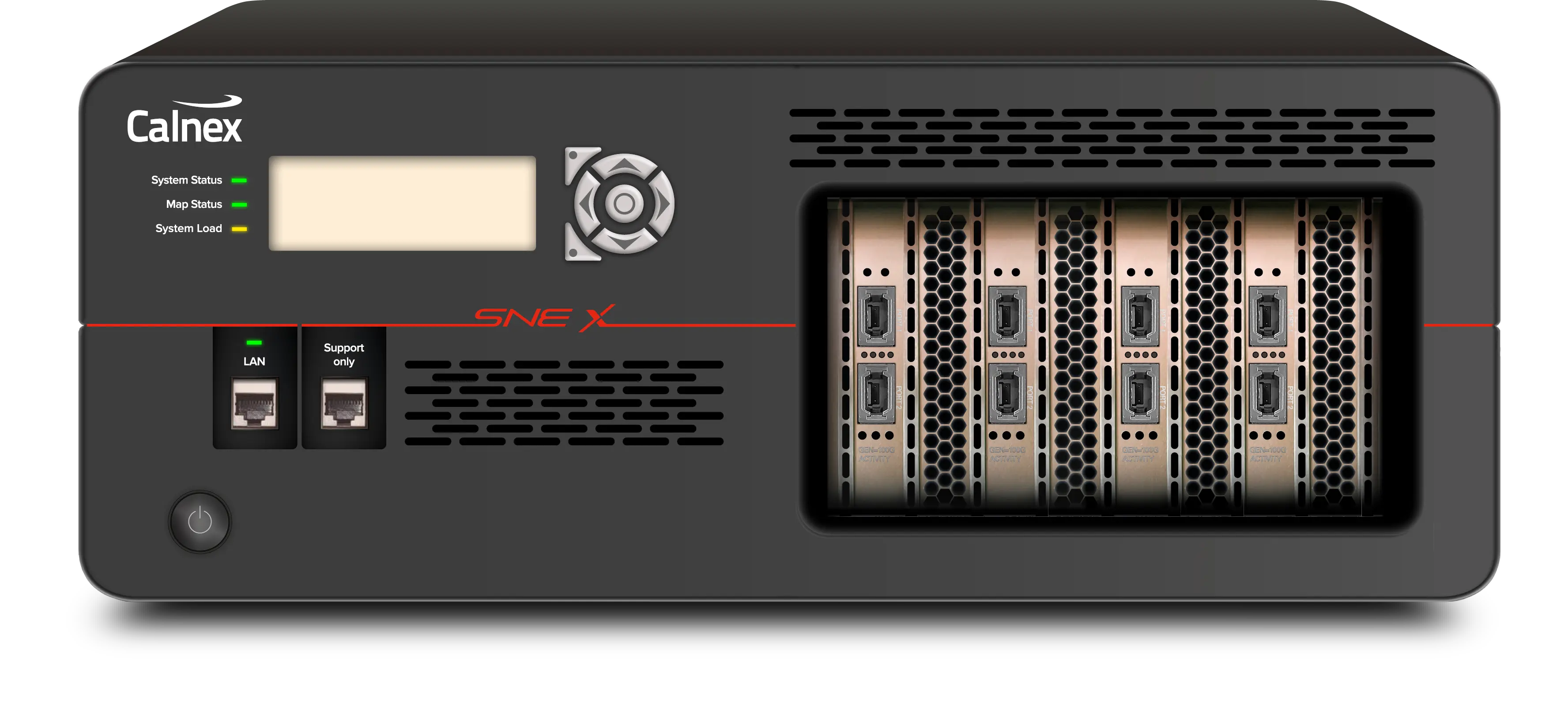
Calnex SNE-X Scalable High-Performance Network Emulator, 1GbE to 400GbE
Multi-port network emulator with up to 28 ports and 1GbE to 400GbE wire-rate impairment of hundreds of packet streams.
- Number of ports per card
- 4
- Number of ports per card
- 2
- Number of ports per card
- 1
- Maximum number of ports per SNE-X (4 full slots)
- 28
Overview
The Calnex SNE-X is a multi-port network emulator that recreates real-world network conditions in the lab. It applies precise, repeatable impairments such as latency, jitter, packet loss, congestion, bandwidth constraints, reordering, corruption and duplication across network paths. Engineering teams use it to validate application and infrastructure performance before deployment, reproduce field issues and observe how systems respond under stress.
Performance and scale
SNE-X supports Ethernet interfaces from 1GbE to 400GbE at wire rate, with a maximum intrinsic latency of 20µs. A high-performance backplane and Any Port to Any Port™ connectivity allow up to 28 ports to be used for parallel testing of multiple devices, links and hundreds of traffic flows from a single platform. Impairments can be targeted at selected traffic streams by flow, direction or network path while other traffic passes unaffected, and each direction of a path can be emulated independently to reproduce asymmetric conditions.
Control and automation
Tests are built in a browser-based GUI in which engineers create network maps visually, connect test paths, configure traffic filters and apply impairments without writing code; settings can be changed while a test is running. A RESTful API enables remote configuration and control from scripts, test frameworks and lab automation platforms, and a timeline function schedules changing conditions, faults and recovery events during a test. Traffic can be captured as PCAP, replayed, or streamed directly to Wireshark.
Shared lab use
Multi-user support allows ports to be assigned to individual users so that several users or projects can run tests in parallel on the same platform. The same hardware can be configured for different devices, interface speeds, port configurations and network topologies, which is intended for AI, cloud and data center infrastructure, telecom core, midhaul and mobile edge testing.
Key Features
- Up to 28 ports for impairment of hundreds of packet streams simultaneously from a single platform
- 1 to 400GbE wire-rate emulation
- Maximum intrinsic latency of 20µs
- Any Port to Any Port™ connectivity for flexible test paths between interfaces
- High-performance backplane for parallel impairment scenarios across multiple ports
- Independent bidirectional emulation for asymmetric paths
- Delay, jitter, packet loss, burst loss, reordering, corruption, duplication and outage impairments
- Flow-specific impairment of selected packet streams while other traffic passes unaffected
- RESTful remote-control API for automation and regression workflows
- Browser-based visual network map creation and control
- Live changes to any impairment setting during a test
- Timeline automation of changing conditions, faults and recovery events
- Traffic capture and replay with PCAP and Wireshark support
- Multi-user support with shared maps and per-user port assignment
- Link flap simulation by cycling ports on and off
Specifications
|
Number of ports per card
1G
|
4 |
|---|---|
|
Number of ports per card
10G, 25G, 50G, 100G
|
2 |
|
Number of ports per card
400G
|
1 |
|
Maximum number of ports per SNE-X (4 full slots)
1G
|
28 |
|
Maximum number of ports per SNE-X (4 full slots)
10G, 25G
|
16 |
|
Maximum number of ports per SNE-X (4 full slots)
50G, 100G
|
8 |
|
Maximum number of ports per SNE-X (4 full slots)
400G
|
4 |
|
Supported rates
1G
|
10 Mbit/s, 100 Mbit/s, 1 Gbit/s |
|
Supported rates
10G
|
1 Gbit/s, 10 Gbit/s |
|
Supported rates
25G
|
1 Gbit/s, 10 Gbit/s, 25 Gbit/s |
|
Supported rates
50G
|
10 Gbit/s, 25 Gbit/s, 50 Gbit/s |
|
Supported rates
100G
|
25 Gbit/s, 50 Gbit/s, 100 Gbit/s |
|
Supported rates
400G
|
50 Gbit/s, 100 Gbit/s, 400 Gbit/s |
|
Interface
1G
|
RJ45 (GbE Copper) |
|
Interface
10G
|
SFP+ |
|
Interface
25G
|
SFP28 |
|
Interface
50G, 100G
|
QSFP28 |
|
Interface
400G
|
OSFP |
|
Max packet rate per port (Bi-Directional)
1G
|
2.96 million pkt/s |
|
Max packet rate per port (Bi-Directional)
10G
|
29.6 million pkt/s |
|
Max packet rate per port (Bi-Directional)
25G
|
74.4 million pkt/s |
|
Max packet rate per port (Bi-Directional)
50G
|
148.8 million pkt/s |
|
Max packet rate per port (Bi-Directional)
100G
|
297.6 million pkt/s |
|
Max packet rate per port (Bi-Directional)
400G
|
Contact for info |
| Max. Frame Size |
Jumbo Mode 9219 bytes; Non-jumbo Mode 1542 bytes
Standard on all interfaces. The General section of the same datasheet lists 1544 bytes for Non-Jumbo Frame Mode.
|
| Dimensions | 4u Rack |
|---|---|
| Intrinsic Latency |
20µs
Maximum intrinsic latency
|
| Timing Precision | 10µs |
| Maximum Frame Size — Non-Jumbo Frame Mode |
1544 bytes
The Physical section of the same datasheet lists 1542 bytes for Non-jumbo Mode.
|
| Maximum Frame Size — Jumbo Frame Mode | 9219 bytes |
| Any Port to Any Port™ |
Packets can be sent between any port for complete flexibility
Provided as standard on all interfaces
|
| Multi-user support |
Unlimited users, share maps, assign ports to individual users
Provided as standard on all interfaces
|
| Live Changes |
Real-time modification of any impairment setting
Provided as standard on all interfaces
|
| Bi-directional, Independent Emulations |
Provided as standard
All interfaces
|
| Drag and Drop user interface |
Provided as standard
All interfaces
|
| Link Flap |
Ports can be cycled on/off to simulate Link Flapping
Provided as standard on all interfaces
|
|
Delay Modes
1G, 10G, 25G, 50G, 100G
|
Constant, Gaussian, Ramp, Range, Sinusoidal
Provided as standard
|
|---|---|
|
Maximum Delay Emulation (Non-Jumbo Frame Mode)
1G
|
1250ms at 1G |
|
Maximum Delay Emulation (Non-Jumbo Frame Mode)
10G, 25G, 50G, 100G
|
500ms at 10G; 500ms at 25G; 500ms at 50GbE; 500ms at 100GbE |
|
Maximum Delay Emulation (Non-Jumbo Frame Mode)
400G
|
650ms at 400GbE |
|
Maximum Delay Emulation (Jumbo Frame Mode)
1G
|
1250ms at 1GbE |
|
Maximum Delay Emulation (Jumbo Frame Mode)
10G
|
500ms at 10GbE |
|
Maximum Delay Emulation (Jumbo Frame Mode)
25G, 50G, 100G
|
483ms at 25GbE; 483ms at 50GbE; 483ms at 100GbE |
|
Maximum Delay Emulation (Jumbo Frame Mode)
400G
|
650ms at 400GbE |
|
Maximum Extended Delay Emulation (Non-Jumbo Frame Mode)
1G
|
30000ms at 1GbE |
|
Maximum Extended Delay Emulation (Non-Jumbo Frame Mode)
10G
|
4070ms at 10GbE |
|
Maximum Extended Delay Emulation (Non-Jumbo Frame Mode)
25G, 50G
|
2713ms at 25GbE; 2713ms at 50GbE |
|
Maximum Extended Delay Emulation (Non-Jumbo Frame Mode)
100G
|
2713.68ms at 100GbE |
|
Maximum Extended Delay Emulation (Jumbo Frame Mode)
1G
|
7249ms at 1GbE |
|
Maximum Extended Delay Emulation (Jumbo Frame Mode)
10G
|
724ms at 10GbE |
|
Maximum Extended Delay Emulation (Jumbo Frame Mode)
25G, 50G, 100G
|
483ms at 25GbE; 483ms at 50GbE; 483ms at 100GbE |
| Bandwidth Limit Threshold | 8 bit/s to 100 Gbit/s |
|---|---|
| Bandwidth Limit Modes |
Constant Throttle, Random Range
Provided as standard on all interfaces
|
| Standard |
Drop x packets in y received
Provided as standard on all interfaces
|
|---|---|
| Percentage |
Drop 1% to 100% (in increments of 1%)
Provided as standard on all interfaces
|
| Markov |
2 state random packet drop (as per ITU-T G.1050 Appendix II - Gilbert-Elliott model)
Provided as standard on all interfaces
|
| Packet Distance |
Min/max distance of 0 to 10000 packets
Provided as standard on all interfaces
|
|---|---|
| Time |
Min/max displacement of 0 to 500ms
Provided as standard on all interfaces
|
| Jitter |
Range 0.01 to 100 ms
Provided as standard on all interfaces
|
| Generic Packet Modifier |
Modify any 1 to 4 bytes in packets and set to a specific value
Provided as standard on all interfaces
|
|---|---|
| Bit Error Rate — Error Range |
Corrupt x bits in every y bits/kbits/Mbits
Provided as standard on all interfaces
|
| Packet Corruption — Overwrite Modes |
Bitflips, Byte overwrite
Provided as standard on all interfaces
|
| Packet Corruption — Corruption Level |
0.1 to 100% of packet
Provided as standard on all interfaces
|
| Packet Corruption — Corruption Range |
All contents of each packet, Start and end point within each packet
Provided as standard on all interfaces
|
| Duplicator Modes |
Complex – multiple, timed duplication
Provided as standard on all interfaces
|
|---|---|
| Duplicator Modes |
Simple – 1:1 duplication of all packets
Provided as standard on all interfaces
|
| Duplicator Modes |
Duplication every x seconds
Provided as standard on all interfaces
|
| Burst Modes — N Packets |
Accumulates N packets before sending them in a burst
Provided as standard on all interfaces
|
|---|---|
| Burst Modes — Timeout |
Accumulates packets until the specified time has elapsed, then sends them in a burst
Provided as standard on all interfaces
|
| Burst Modes — N Packets OR Timeout |
Sends the accumulated packets when either condition is met
Provided as standard on all interfaces
|
| Burst Modes — Packets AND Timeout |
Sends the accumulated packets when both conditions are met
Provided as standard on all interfaces
|
| Packet Fragmentor — Maximum MTU Range |
Provided as standard
All interfaces
|
| Video Format Codecs |
0.01 to 100 ms
Provided as standard on all interfaces
|
|---|---|
| IDR Frame Corruption |
For every x frames, corrupt y frames, affecting z% of the frame. Optionally drop n frames
Provided as standard on all interfaces
|
| Non-IDR Frame Corruption |
Corrupt I, B and/or P frame
Provided as standard on all interfaces
|
|
Checksum Correction
1G, 10G, 25G, 50G, 100G
|
Fix IP Header Checksum; Fix IP UDP Header Checksum
Provided as standard
|
| Decoder Notifications |
Non RTP/MPEG packet received. Frame with forbidden flag received. Unsupported NAL frame received
Provided as standard on all interfaces
|
| Maximum Number of Filters Per Map |
Unlimited
Connect multiple filters in any way to create complex filter rules
|
|---|---|
| Filter Types |
IPv4/IPv6 Address (Source and/or destination, specific address and range); MAC Address (Source and/or destination, specific address and range); IP Protocol (Industry or user defined); VLAN (Single, range or multiple); UDP (With or without port); TCP (With or without port); RTP (Industry or user defined); RoCEv2 (IPv4/IPv6, OpCode, Queue Pair); MPLS (Label, QOS value, TTL value); Counting (Percent or x in y packets); Diff Serv (DSCP AF Type or TOS value); Payload (Industry or user defined); Generic (Any single or multiple bytes within packets)
Provided as standard on all interfaces
|
| UDP Background Traffic | Constant or range; Up to 10 Gbit/s; Optionally send packets to broadcast address |
|---|---|
| TCP Server Generator | Specify TCP source/destination MAC and IP address; Up to 10 Gbit/s; Generate multiple streams |
| Traffic Replay | Replay from PCAP file; Single replay or loop |
| Bandwidth Graph |
Show data rate over time; Up to 1 hour sliding window; Export as CSV file
All interfaces: 1G, 10G, 25G, 50G, 100G, 400G
|
|---|---|
| Inter-Packet Gap Graph |
Show average and/or min/max interpacket gap over time; Up to 1 hour sliding window; Export as CSV file
All interfaces
|
| Packet Count Graph |
Show number of packets per second over time; Up to 1 hour sliding window; Export as CSV file
All interfaces
|
| Traffic Capture |
Capture traffic as PCAP; Total storage: 20GB volatile (RAM) or 1TB non-volatile (SSD); Capture file maximum size: RAM – 20GB, SSD – 524GB*
Asterisk footnote not given in the datasheet text
|
| Wireshark | Capture traffic directly to Wireshark; Max traffic capture rate 1 Gbit/s |
| RESTful API | Easy remote control of impairments in an automation environment |
|---|---|
| Timeline | Schedule changes to impairments with no manual intervention required |
| Timing Constraints | Specify start and duration of individual impairments activity |
Specifications are taken from the manufacturer's documentation. See the datasheet for complete and current values.
Applications
- AI infrastructure workload testing
- Data center efficiency and interconnect validation
- 5G network testing
- High-speed Ethernet silicon and chipset validation
- Server, NIC, DPU and accelerator platform testing
- Switch, router and network appliance development
- Data-plane performance and packet-processing testing
- Telecom core, midhaul and mobile edge testing
- Multi-device interoperability testing
- Distributed compute and cloud infrastructure testing
- Application performance and resilience testing
- Field issue reproduction and troubleshooting
- AI inference and AI/ML silicon
- SD-WAN, SASE and WAN edge platforms
- Telecom transport infrastructure
- Network operating systems and firmware
- Critical infrastructure networks
Documents & Resources
Related Products
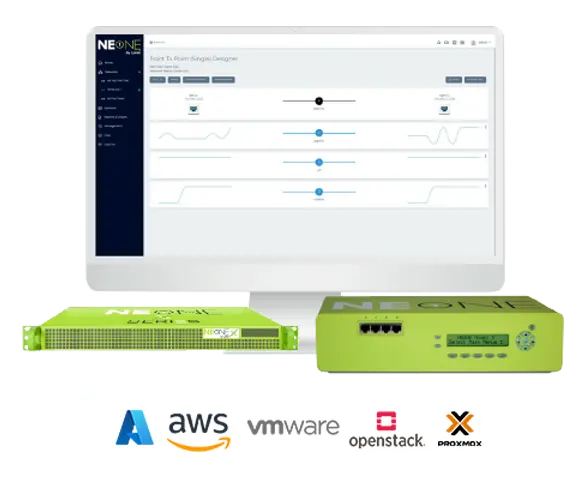
Network emulator that recreates LAN, WAN, cloud, Wi-Fi, mobile and satellite networks for application performance and resilience testing.
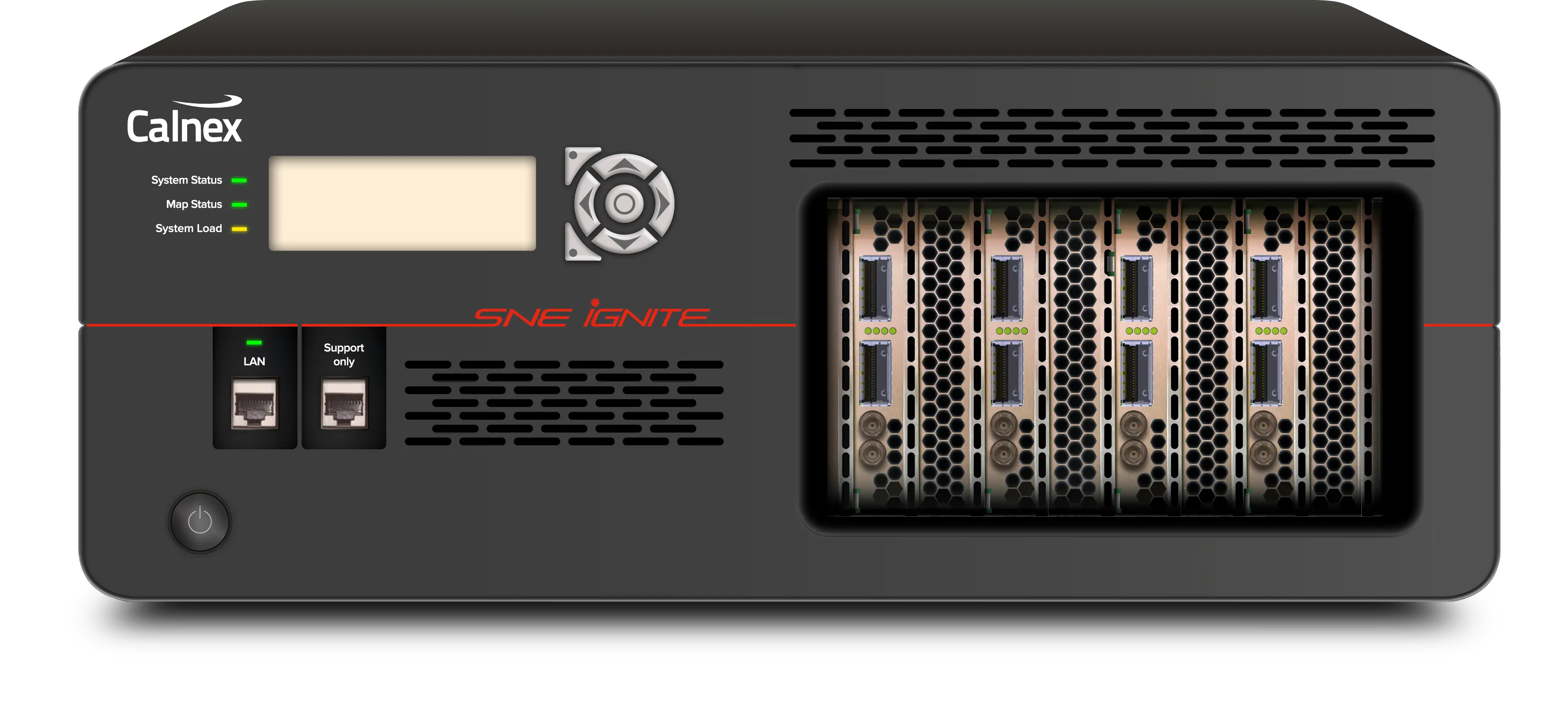
FPGA-based multi-port network emulator with 6.8 µs intrinsic latency and line-rate impairments from 10GbE to 400GbE.
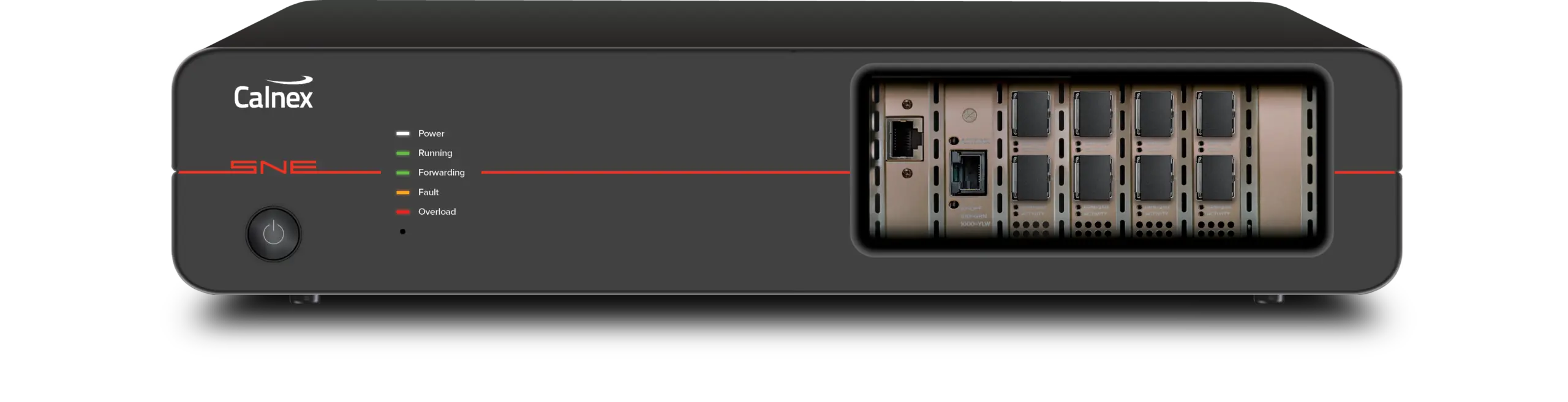
Multi-port, multi-user Ethernet network emulator with 1GbE, 10GbE and 25GbE interfaces, 55+ impairments and a RESTful API for automation.