Calnex NE-ONE Professional Network Emulator for Software Defined Test Networks
Network emulator that recreates LAN, WAN, cloud, Wi-Fi, mobile and satellite networks for application performance and resilience testing.
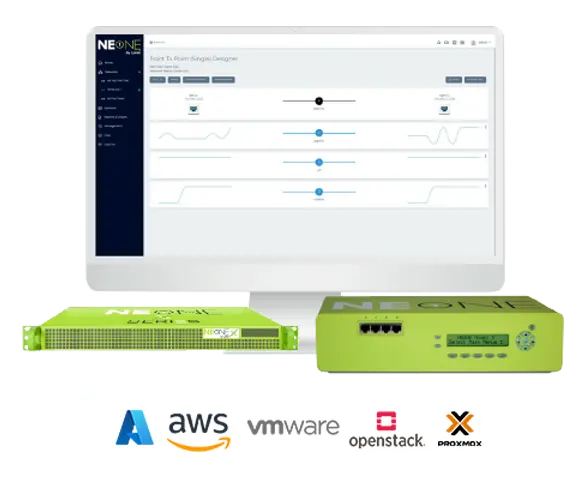
- Desktop
- Up to 1 Gbps
- Half-Depth Rack
- Up to 10 Gbps
- Virtual
- Up to 10 Gbps
- Cloud
- Up to 10 Gbps
Overview
The Calnex NE-ONE Professional is a network emulator for creating software defined test networks. It recreates a wide range of realistic network types, including LAN, WAN, Internet, cloud, Wi-Fi, (A)DSL, mobile and satellite, so that application developers, software testers, network engineers and systems architects can test application performance and resilience over those networks.
Configuration is done through a pictorial web GUI in a standard browser, with predefined link types whose latency, loss and bandwidth values reflect Excellent, Good, Average and Poor link qualities. A Geolocation network latency calculator with a catalogue of over 42,000 locations calculates and inserts the base latency for a typical WAN circuit between a chosen start and end point. In Advanced Mode, an impairment library gives access to more than 50 customizable network impairments.
Scenarios and analysis
The drag-and-drop Network Scenario Builder and Player creates time-based scenarios that combine network experiences over time, with transitions such as a change from 4G to 5G or a momentary outage. Example scenarios include office, coffee shop, underground station, car journey, cruise ship and train. Built-in graphs show network performance metrics in the GUI, statistics can be exported, and packet capture files can be replayed across the test network to generate foreground or background traffic. Configuration and Test Reports document how a test network was set up and how much data crossed each link and node.
Integration and deployment
Every GUI operation has a RESTful API equivalent, and a CLI is also available, allowing test networks to be created, controlled and torn down from external tools and scripts. A multi-user design lets several users or teams operate their own test networks on the same appliance. The NE-ONE Professional can integrate with NTP, DHCP, LDAP, RADIUS and SNMP, and is offered as a desktop, half-depth rack, virtual or cloud appliance. As a sub-set of the NE-ONE Enterprise, it can be migrated to that edition.
Key Features
- Intuitive and intelligent pictorial web GUI, no plug-in required
- Predefined link types with associated properties
- Network Scenario Builder and Player with pre-installed example scenarios
- Geolocation network latency calculator with over 42,000 locations
- Dual hop / last mile emulation
- Multiple concurrent links (paths)
- More than 50 customizable network impairments in Advanced Mode
- Built-in congestion modeling without external traffic generators
- Graphs, statistics and packet capture
- Packet capture and replay with automatic application flow analysis
- Configuration Report and Test Report
- Multi-user access with independent logins on the same appliance
- External integration via RESTful API and CLI
- Integration with NTP, DHCP, LDAP and RADIUS single sign-on
- Built-in SNMP support
- LCD control panel on the desktop appliance
- Migration path to NE-ONE Enterprise
Specifications
| Desktop | Up to 1 Gbps |
|---|---|
| Half-Depth Rack | Up to 10 Gbps |
| Virtual | Up to 10 Gbps |
| Cloud | Up to 10 Gbps |
| Network impairments |
more than 50
Advanced Mode. Product page states a database of more than 53 impairments pre-installed
|
|---|---|
| Geolocation latency calculator catalogue | over 42,000 locations |
| Predefined link qualities | Excellent, Good, Average and Poor |
| Topologies | Point-to-point, dual hop / last mile, multiple concurrent links (paths) |
| User interface | Web GUI (no plug-in required) |
|---|---|
| Automation | RESTful API, CLI (command line or TCP sockets interface) |
| Network services integration |
NTP, DHCP, LDAP, RADIUS single sign-on
Optional
|
| Monitoring | SNMP |
| LCD control panel | Desktop Appliance Only |
Specifications are taken from the manufacturer's documentation. See the datasheet for complete and current values.
Applications
- Games testing
- XR application testing
- Broadcast QoS
- Defense application resilience testing
- Enterprise application performance testing
- Server and data center migration
- SD-WAN proof of concepts
- Healthcare equipment testing
- IoT testing
- Satellite link emulation
- Cloud migration
- Gaming and entertainment media QA
- Radio over IP testing
- WAN and network simulation
- Remote worker infrastructure testing